











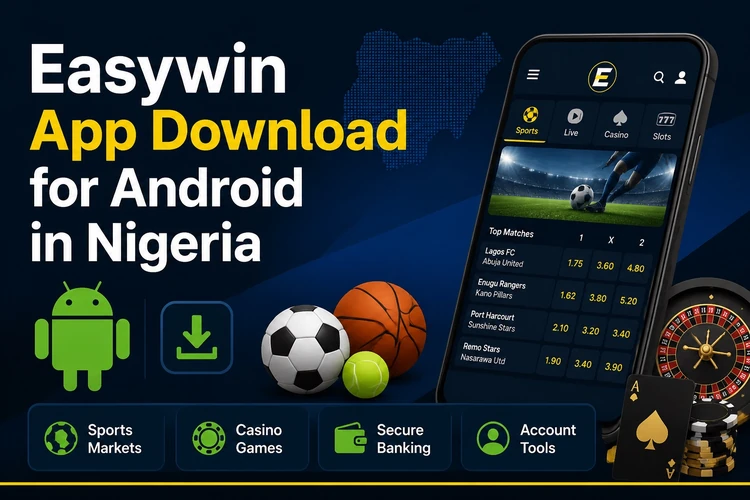
The Easywin mobile app brings betting and casino features to your Android phone. Instead of opening a browser each time, you get a dedicated interface designed for smaller screens, with clear navigation, live-event access, and a direct route to your account. For Nigerian players who use mobile data or Wi-Fi while away from a computer, the app can make routine actions easier to find.
What Is the Easywin App?
Easywin is a Nigeria-focused betting platform covering sports, casino games, and virtual sports in one account. The Android app mirrors the main services available on the website but organises them around touch navigation, with large tap targets, swipeable bet slips, and a bottom menu for frequently used sections.
Compatibility is broad. The app runs on Android 5.0 and above, covering many smartphones in use across Nigeria. It does not require flagship hardware; mid-range and budget devices can handle the basic interface when they have enough free storage and a stable connection. Mobile data or Wi-Fi is needed for odds, account information, and live updates after installation.
How to Download and Install the APK
The app is provided as an APK from the official site at easywins-ng.com. Open the site in an Android browser, go to the app page, and tap the download control. Check that the file finishes downloading before opening it, especially when using a mobile connection. Downloading the file itself does not place a bet or create a charge.
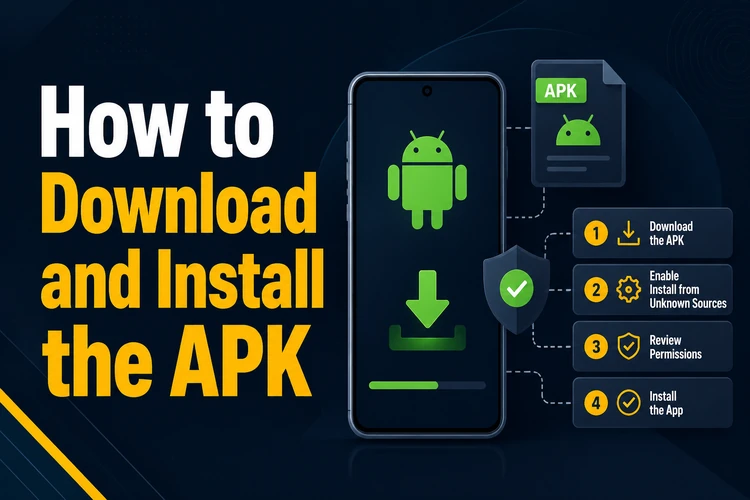
Android may request permission to install an app from outside the Play Store. On Android 8 and later, the permission is usually granted for the browser or file manager that opened the APK. On older versions, the setting may be under Settings, then Security, where Unknown sources can be enabled. Turn the permission off again after installation if you do not need it.
- Step 1: Visit easywins-ng.com on an Android browser and open the app download page.
- Step 2: Tap the download control and wait for the APK file to finish saving.
- Step 3: Open the file from the notification panel or your file manager.
- Step 4: Grant installation permission when Android displays the security prompt.
- Step 5: Wait for the installer to finish, then tap Open to launch the app.
If an older version is already installed, the new APK will normally update it rather than remove the existing installation. Keep the phone connected until the process ends. If Android reports that the file cannot be opened, download it again and check that the device has free storage.
Easywin Lite
Easywin Lite is a reduced version intended for devices with limited RAM or slower data connections. It uses less storage and reduces the amount of background data used by the interface, which can help when a prepaid data bundle is limited. The core account and betting functions remain available, while heavier graphics and secondary interface elements are reduced.
Lite may suit a phone with 1 GB of RAM or less, or a device that feels slow when running the standard app. The available version and download instructions should be checked on the app page before installation. Do not install an APK labelled Lite from an unrelated download site, since the source cannot be confirmed from the file name alone.
Logging In to Your Account
When the app opens, use the login control on the home screen and enter the phone number or email address connected to your account, followed by your password. Existing website credentials work in the app, so there is no need to create a separate mobile account. If you need to reset access first, use the login page in a browser.
If you forget your password, use the Forgot password? option on the login screen and follow the recovery instructions sent to your registered contact. Avoid saving credentials on a shared device. A screen lock, current phone software, and a private connection are simple safeguards when accessing an account over mobile data or public Wi-Fi.
Mobile Betting Features
The sports area includes football, basketball, tennis, and other markets, with Nigerian and international fixtures shown according to availability. Odds can change before a bet is confirmed, so check the final price and selections in the bet slip. The app supports single bets and accumulators, and the slip allows you to review the stake and potential return before submitting.
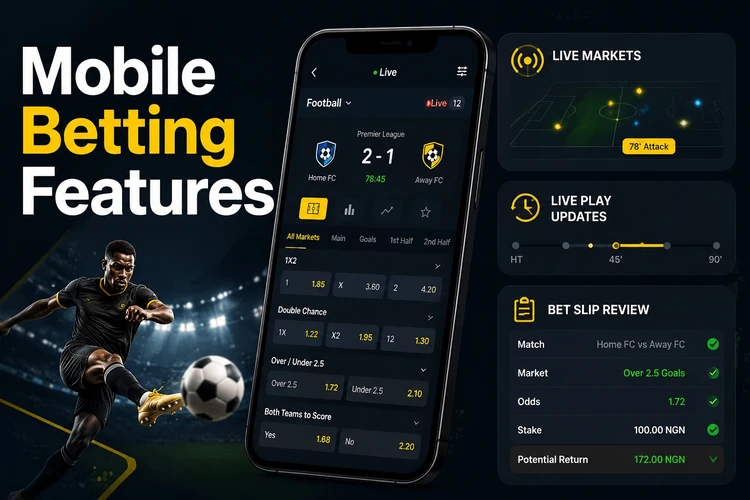
Live betting is available for matches already in progress, but markets may open and close quickly as play changes. Read the current match state and market terms before confirming a wager. The casino area contains slots, table games, and crash titles, while Aviator is presented within the casino section when available. Virtual sports such as scheduled football or horse-racing events provide fixed-time markets rather than live real-world matches.
Use My Bets to review open and settled coupons. The record can show the stake, selected odds, status, and potential or final return. Checking this page after placing a bet helps identify whether the wager was accepted and whether a market is still pending. Do not treat displayed odds or potential returns as a guarantee of an outcome.
Android Compatibility and Updates
The draft app requirements support Android 5.0 and later releases. Performance also depends on available RAM, free storage, battery-saving restrictions, and connection quality. A phone with a smaller screen can still run the interface, but increasing the text size or closing unused apps may make navigation more comfortable on entry-level hardware.
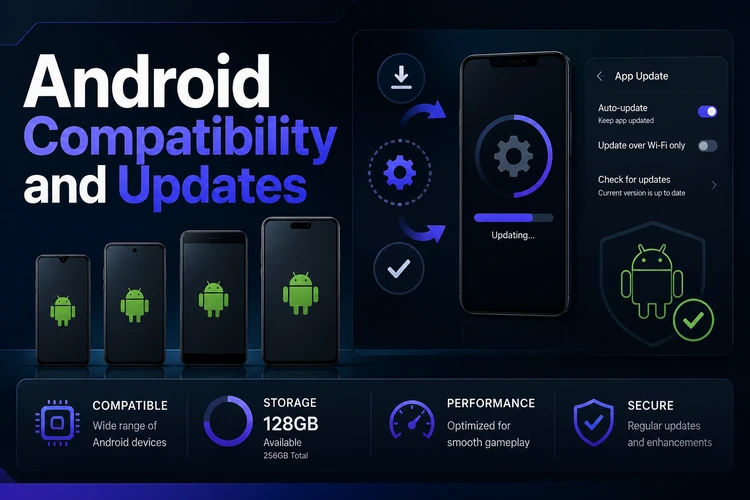
Updates may add features, change the odds display, or correct technical problems. If the app shows an update notice, use the official download page and compare the download source before opening the new file. You can also check the page manually. Installing a newer APK over the existing version usually keeps account information and settings, but confirm that you know your login details before updating.
Keep enough storage free for the installer and avoid interrupting the download. If the app stops responding, close it, restart the phone, and check the connection. For background information about the platform, the about page provides additional context. If installation or account access still causes a problem, use the contact page to reach support.
FAQ
Open easywins-ng.com in an Android browser and go to the app download page. Tap the download control, save the APK, then open the file and follow Android’s installation prompts. Use the official site rather than an unrelated APK directory.
Download the APK only from easywins-ng.com and check the source before opening it. Android may request permission for installation outside the Play Store; this is a normal security prompt for an APK, but you should avoid files from third-party sites and turn the permission off again when appropriate.
The draft requirements specify Android 5.0 or later. Performance also depends on free storage, available memory, battery settings, and connection quality, so closing unused apps can help on an older phone.
The draft describes Easywin Lite as a lighter option for phones with limited RAM or slower connections. Check the official app page for the current download choice, and do not use a Lite APK from an unrelated source.
Open the app and select My Bets from the main menu. Open, settled, and other available coupon records can be reviewed there, including the stake, odds, selections, and current status. Check the final status rather than relying only on a notification.
If the app displays an update notice, use the official download page to obtain the newer APK and install it over the current version. You can also check the page manually. Keep your login details available and ensure the phone has enough storage before starting.